V380 Camera Reset and Password: Change or Recover It
How to reset a V380 camera, change the device password and recover a forgotten one. Also: the difference between your app account password and device password.
In this article (9 sections)
- Two passwords, two different fixes
- Is there a default device password?
- How to factory reset a V380 camera
- How to change the device password
- How to change or recover the app account password
- Bought a second-hand camera or moved into a rented flat?
- A worked example: what a weak password can cost
- Privacy reminders
- Key takeaways
To reset a V380 camera, keep it powered on and hold the reset button for about 6-7 seconds (around 10 seconds on many outdoor models) until it announces a factory restore. That clears the old WiFi details and the device password, so you can set the camera up again with a new one. Your app account password is different: reset that with "Forgot Password" on the app's login screen. There is no way to read back a forgotten device password; a reset is the fix.
Menu names can differ slightly by app version and camera model, so use the steps below as a guide.
Two passwords, two different fixes
Most confusion comes from mixing up these two:
| App account password | Device (camera) password | |
|---|---|---|
| What it protects | Your V380 Pro login (email or mobile) and the cameras in your list | Access to one specific camera's video |
| Where it is set | When you register in the app | After adding the camera, when the app prompts you |
| Forgot it? | Tap Forgot Password on the login screen and verify by code | Delete the camera, factory reset, set up again |
| Change it | From your profile in the app's "My" / account section | From the camera's settings, usually under device information |
| Affected by camera reset? | No | Yes, cleared |
There is also a third, optional one: some models let you set a hotspot password for AP mode (at least 8 characters, per the V380 FAQ). A factory reset clears it too.
Is there a default device password?
On first setup, the V380 FAQ says the device password is empty and the V380 Pro app requires you to set one before viewing. You may see "default passwords" listed on random websites; do not rely on them. Some sellers print setup details on the camera label or in the box, so check those. Either way, set your own password at once.
How to factory reset a V380 camera
- Keep the camera powered on. Unplug any network cable connected to it.
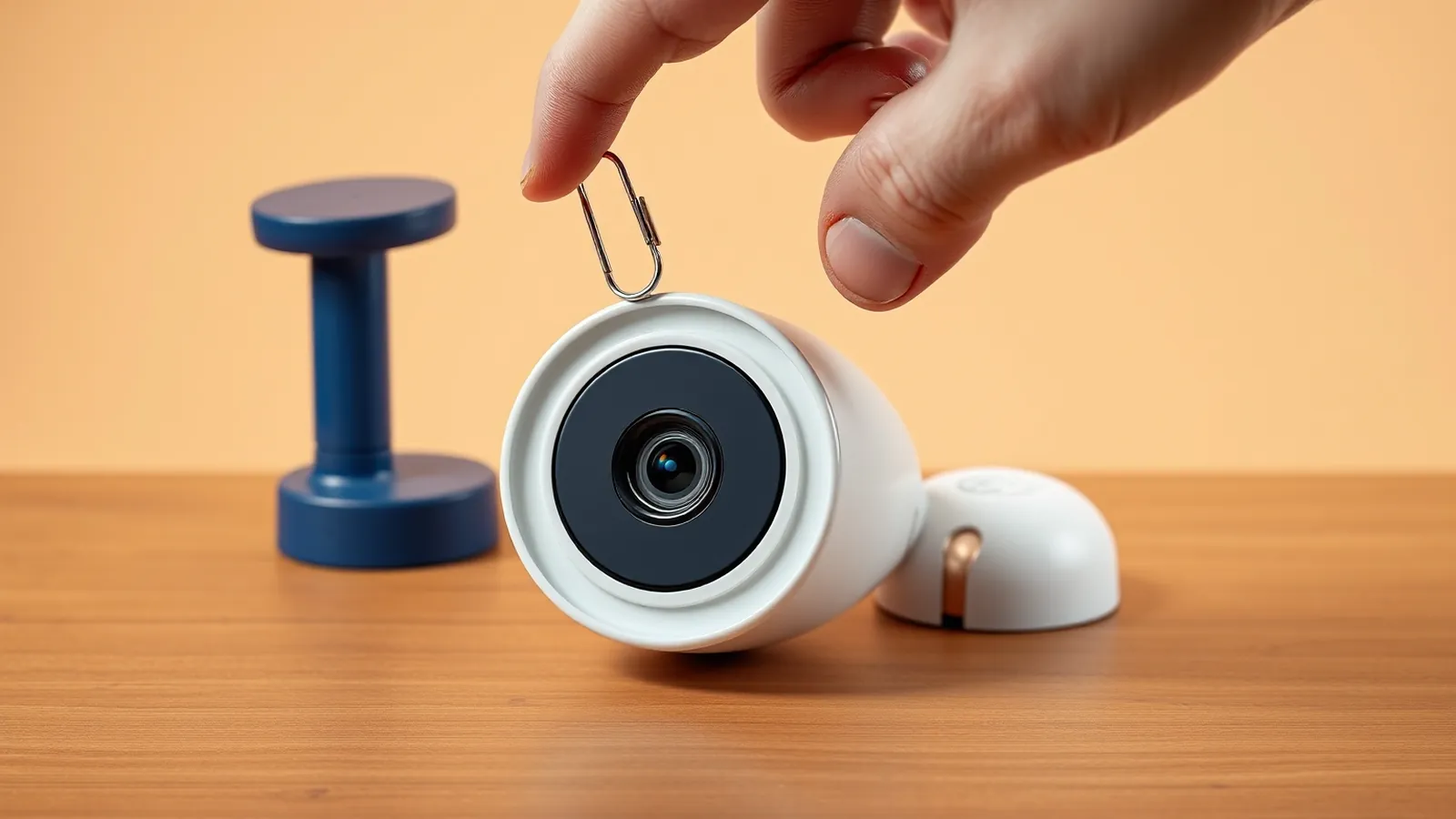
- Find the reset button. On many indoor models it is a small button or pinhole marked RESET near the memory card slot or base. On outdoor and some panoramic models it is often on the cable, under a cap. Check your manual.
- Press and hold for about 6-7 seconds (about 10 seconds for many outdoor models) using a SIM-eject pin if it is a pinhole.
- Release when you hear the prompt, usually a factory restore message. After a short while the camera announces "Access-Point established" or "Waiting for WiFi smartlink configuration".
- Delete the old camera from the app's device list, then add it again.
On some station-default models, a short press of reset after the factory reset switches the camera into AP hotspot mode.
What a reset clears
According to the V380 FAQ, a factory reset clears WiFi and IP settings, usernames and passwords, the hotspot password, cloud binding, alarm settings, PTZ (pan-tilt) settings, light control and image settings. Plan to set these again.
If the reset button does nothing
- Press firmly; some buttons need a definite click.
- Hold for the full time while the camera is powered.
- Unplug any network cable, which can stop the camera switching to wireless mode.
- If it still fails, the button may be damaged; the V380 FAQ suggests a firmware update or contacting the seller for repair.
How to change the device password
- Open V380 Pro and make sure the camera is online.
- Open the camera's Settings (often a gear icon on the device list).
- Go to device information or a similar section and choose the option to change the device password.
- Enter the current password, then the new one twice.
- Save. Other family members who view the camera through a share may need to re-open it.
Pick at least 8 characters with letters and numbers, and do not reuse your email, UPI or net banking passwords anywhere in the camera app.
How to change or recover the app account password
- Change it: log in, open the "My" or profile section, tap your profile and choose Change Password.
- Forgot it: on the login screen tap Forgot Password, enter your registered email or mobile number, and enter the verification code.
- Code not arriving: wait a few minutes and try again, check the spam folder for email, and make sure you are using the same email or number you registered with.
Remember that one V380 account can be logged in on only one device at a time. If your account suddenly logs out, someone may have logged in elsewhere; change the account password at once.
Bought a second-hand camera or moved into a rented flat?
A used camera may still be bound to the previous owner's account or cloud plan. Reset it before adding it to your app. If the camera still seems tied to another account or cloud plan after a reset, ask the previous owner or seller to remove it from their account. In rented homes, check whether any existing cameras are still linked to the landlord's or previous tenant's account before relying on them.
A worked example: what a weak password can cost
Cameras with empty or simple passwords are an easy target. Suppose someone gains access to a shop camera and watches staff type a UPI PIN or card PIN at the counter. A single fraudulent transfer of ₹25,000 is a far bigger loss than the 2 minutes it takes to set a strong password. Simple rules:
| Risk | Fix | Cost |
|---|---|---|
| Empty or default device password | Set a unique password at setup | ₹0 |
| Reused app password | Use a different password from email and banking | ₹0 |
| Old firmware | Check for updates in camera settings | ₹0 |
| Camera facing PIN pads or billing counter | Angle it away from keypads and screens | ₹0 |
If you suspect someone has accessed your camera, reset it, change both passwords and log out of other sessions. If money is lost, call 1930 or report on cybercrime.gov.in immediately; our guides on UPI scams and cyber fraud money recovery explain the next steps. Wider cyber security incidents can be reported to CERT-In at cert-in.org.in.
Privacy reminders
- Point cameras only at your own home or shop; avoid neighbours' windows, bathrooms and changing areas.
- Inform household staff, employees or tenants that a camera is recording.
- Remove shared access for people who no longer need it.
Key takeaways
- Hold reset for about 6-7 seconds (about 10 seconds on many outdoor models) while the camera is powered.
- The app account password and the device password are separate; "Forgot Password" fixes only the account.
- A forgotten device password cannot be recovered; reset and set up again.
- There is no reliable universal default password; set your own at first setup.
- Use unique passwords and keep cameras away from PIN pads and screens.
Related guides: WiFi Camera Security and Privacy Tips for Homes and Shops, V380 Pro App Setup: Add Your WiFi Camera Step by Step, V380 Camera Offline? How to Bring It Back Online.
Frequently asked questions
What is the default password of a V380 camera?
On first setup the device password is usually empty, and the V380 Pro app asks you to set one before you can view the camera. Some sellers print details on the label or manual, so check those. There is no single universal default password you should rely on.
How long do I press the reset button on a V380 camera?
The V380 FAQ says about 6 to 7 seconds for most models, around 7 seconds for indoor and about 10 seconds for outdoor cameras. Hold it until the camera announces a factory restore.
I forgot my V380 device password. Can I recover it?
There is no way to view the old device password. Delete the camera from the app, factory reset it, set up the network again and create a new device password.
How do I reset my V380 app account password?
Tap Forgot Password on the app's login screen and follow the verification code sent to your registered email or mobile number. This changes only your account password, not the camera's device password.
Does resetting a V380 camera delete recordings?
A factory reset clears WiFi details, passwords, alarm and image settings and cloud binding. It is meant to clear settings rather than the memory card, but copy important clips to a computer first to be safe.
Why does the app say user name or password is wrong?
The camera already has a device password that differs from what you entered, often because it was set earlier by you or a previous owner. Enter the correct one, or delete the device, reset the camera and set it up again.
This article is for general education and is not personalised financial, tax or legal advice. Rates and rules are as of 29 Oct 2026; confirm current terms with your lender, AMC or a qualified adviser.