V380 Cloud Storage vs SD Card: Cost and Safety Compared
V380 cloud storage vs SD card: a 3-year rupee cost example, privacy trade-offs, what happens if the camera is stolen, and when a paid cloud plan is worth it.

In this article (9 sections)
For most homes, a microSD card is far cheaper than a V380 cloud plan and covers everyday needs. Cloud storage is worth paying for mainly when footage must survive theft or damage of the camera itself, such as at a shop counter, an empty house or an entrance a thief could reach. Many people use both: card for continuous recording, cloud for motion events.
How the two options work
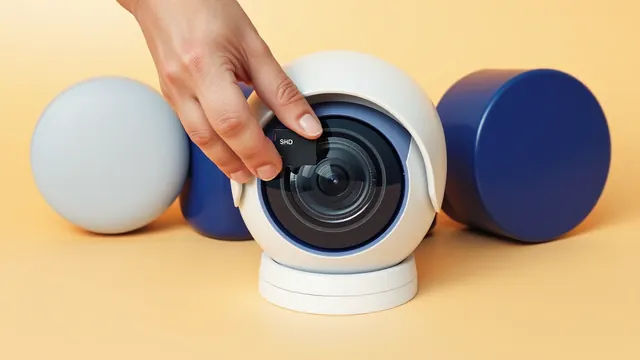
SD card: a microSD card inside the camera records video locally. You play it back through the V380 Pro app (developer Macro-video Technologies) when your phone can reach the camera over the internet. Nothing leaves your network except the stream you watch.
Cloud storage: the camera uploads clips to the app maker's servers, and you view them from the app even if the camera is offline, damaged or gone. App store listings for the V380 Pro app describe paid plans that differ by retention (for example 7 days or 30 days of history), by event-only vs continuous recording, and by monthly vs yearly billing. Prices vary by country and change over time, so check the in-app price before paying.
Side-by-side comparison
| Factor | microSD card | Cloud plan |
|---|---|---|
| Cost | One-time purchase | Recurring monthly or yearly fee per camera |
| Survives camera theft | No | Yes, for clips uploaded before the theft |
| Survives card failure | No | Yes |
| Works with internet down | Yes, keeps recording | No upload until the connection returns |
| Retention | Until the card fills, then loops | Fixed by plan (for example 7 or 30 days) |
| Privacy | Footage stays in the camera | Footage stored on a third-party server |
| Internet data | Only when you watch | Continuous uploads |
| Setup effort | Insert and format once | Purchase and keep renewing |
Worked example: 3-year cost in rupees
The cloud price below is an assumption for illustration only, not a quoted price. Check the app for real prices in your region.
Assumptions:
- One camera, kept for 3 years
- microSD card: ₹600 for 64 GB, replaced once after 18 months (worn by 24x7 writes)
- Cloud plan (hypothetical): ₹2,000 a year for event recording with a week or so of history
- Extra internet data for uploads: covered by an unlimited home broadband plan, so ₹0
| SD card only | Cloud only | Both | |
|---|---|---|---|
| Card cost | ₹600 × 2 = ₹1,200 | ₹0 | ₹1,200 |
| Cloud cost | ₹0 | ₹2,000 × 3 = ₹6,000 | ₹6,000 |
| 3-year total | ₹1,200 | ₹6,000 | ₹7,200 |
| Per month | ₹33 | ₹167 | ₹200 |
With four cameras the cloud cost multiplies if each camera needs its own plan: ₹6,000 × 4 = ₹24,000 over 3 years, against about ₹4,800 for four cards. That gap is why most households start with cards.
Cloud makes sense when the risk you are protecting against costs more than the gap. If a shop holds stock worth ₹2-3 lakh and a break-in without usable footage would weaken a police complaint or insurance claim, ₹167 a month can be reasonable. For a camera watching a baby's room, it usually is not.
Privacy: what changes with cloud
Storing video on someone else's server means:
- Your clips sit outside your home, under the provider's security and data policies. Read the app's privacy policy and the Data safety section of its store listing.
- Anyone with your app login can see the cloud history, so a weak or shared password exposes more.
- Indoor cameras capture private moments. Consider cloud only for outdoor, entrance or shop cameras, and keep bedroom or living-room cameras on SD card only, or switch them off when family is at home.
With SD card only, the main privacy risk is someone gaining access to your app account or the camera itself. In both cases, a strong unique password and app updates matter more than the storage choice.
What happens if the camera is stolen
This is the deciding question for many buyers.
- SD card only: a thief who unplugs and takes the camera takes the footage too. Cameras mounted high, out of reach and with the card slot hidden reduce the risk but do not remove it.
- Cloud plan: clips uploaded before the camera went offline remain in your account. The last few seconds before the theft may be missing if upload was in progress.
- Both: the card keeps continuous footage for normal use, and the cloud keeps a copy of motion events that matter most.
If something is stolen, download the clips immediately, note the time, and file a police complaint. For online fraud that follows, such as misuse of stolen phones or cards, report on cybercrime.gov.in or call 1930.
When cloud is worth it
Cloud storage tends to justify its cost when:
- The camera covers a shop counter, cash drawer, godown or main entrance.
- The property is empty for long periods (a second home, a locked flat while travelling).
- The camera is reachable by hand and could be pulled down.
- You need clips to survive a card failure, for example a camera watching an elderly parent living alone.
It is usually not worth it when the camera is indoors, out of reach, used for checking on pets or children, and you are happy reviewing footage from the card.
Questions to check before paying for a plan
Before you buy, open the plan details in the app and confirm:
- Per camera or per account? Most plans cover one camera; adding a second camera often needs a second plan.
- Event or continuous? Event plans store only motion or alarm clips; continuous plans store everything and cost more.
- How many days of history? A 7-day plan deletes clips older than a week, so download anything important.
- Auto-renewal and refund terms. App-store subscriptions follow the store's refund rules, not the camera seller's.
- What happens if you stop paying? Typically the cloud history is deleted after the plan ends, while SD card recording continues as before.
If any of this is unclear in the app, buy the shortest plan first rather than a yearly one.
Managing a cloud subscription sensibly
- Start with a short plan to see how many useful clips you actually get.
- Pick event recording first; continuous cloud plans cost more and upload more data.
- Set a renewal reminder. Subscriptions bought through app stores renew automatically. Cancel from the Play Store or App Store subscriptions page if you no longer need it; deleting the app does not stop billing.
- Note it with your other auto-debits. Small yearly renewals are easy to forget; our guide to tracking subscriptions and bills helps you keep them visible.
Menu names for cloud services can differ slightly by app version, and plans are often shown from the camera's settings or a cloud icon in the app.
Key takeaways
- An SD card is a low one-time cost; a cloud plan is a recurring fee per camera.
- In an illustrative 3-year example, one card-based camera costs about ₹1,200 versus ₹6,000 for an assumed ₹2,000-a-year cloud plan.
- Cloud protects footage when the camera is stolen, broken or its card fails; SD cards do not.
- Cloud moves your video to a third-party server, so use it mainly for entrance or shop cameras.
- Cancel unwanted plans from the app store subscription page, not by uninstalling the app.
Related guides: V380 Camera SD Card: Recording, Playback and Storage, WiFi Camera Data and Electricity Use: Monthly Cost, WiFi CCTV Camera Buying Guide for Homes and Shops in India.
Frequently asked questions
Is V380 cloud storage free?
No. Cloud recording in the V380 Pro app is a paid subscription, sometimes with a short trial. Plans differ by how many days of footage are kept and whether they store motion events or continuous video. Check the current price in the app.
What happens to my footage if the camera is stolen?
With only an SD card, the footage leaves with the camera. With an active cloud plan, clips already uploaded before the theft stay in your account and can be viewed or downloaded from the app.
Can I use both cloud and SD card together?
Usually yes. Many users keep a microSD card for continuous local recording and add a cloud plan for motion events, so the most important clips also survive theft or card failure.
Does cloud storage use more internet data?
Yes. The camera uploads clips over your WiFi connection all the time the plan is active. Motion-event plans upload less than continuous plans, but on a capped broadband plan it can still add several GB a month.
How do I stop a V380 cloud subscription?
Cancel it from where you paid: the Google Play or App Store subscriptions page on your phone, or the payment method shown in the app. Uninstalling the app does not cancel a renewal.
This article is for general education and is not personalised financial, tax or legal advice. Rates and rules are as of 29 Oct 2026; confirm current terms with your lender, AMC or a qualified adviser.